Video and written reviews of various products.
Toshiba Laptop Deal from Best Buy
Author Thomas | 26.09.2009 | Category Electronics
I was in need of a second laptop that I could take with my while traveling. My main laptop is a 17″ HP, and it’s heavy to take around on trips, and since it has a lot of data on it, I don’t want to risk the hassle of loss, damage, theft, etc.
So here I was in the market for another laptop. I steered away from buying the cheap ones on eBay, because there is something to purchasing a laptop from an establishment with customer service, return policies, and valid manufacturer warranties.
At first, I looked for a netbook, something small, that I could use for emails, etc. while traveling. I was appalled to find that the netbooks were so expensive when I found a full laptop for the same price at Best Buy, I knew what I would get.

I researched online, and couldn’t find a better deal than this laptop at Best Buy the Toshiba Satellite. The computer is a basic laptop, no real frills, but it works great for what I need and is a big step up from a netbook for the same price (or less) than the current netbooks.
Our Best Buy had it in stock, although, I wasn’t impressed by the employee’s knowledge of the product. The price tag was missing on the display, so I asked the employee, and he quoted the wrong price, he then went on to explain that it was 64 bit windows and would run slowly and that this display model was optimized to run more quickly.
After the employee left, I checked the OS, and it was 32 bit. The processor is faster than my other laptop (RAM is the same). The price online was the correct price, and the bit about running more optimized? Give me a break. New PC’s come with so much extra junk on them running in the background, it’s ridiculous.
Here’s a list of some of the mods:
Remove
- Live Update
- Norton 360
- Google Desktop
- Quickbooks Financial Center
- Wild Tanget Games
- Desktop Icons
- Skype
- Toshiba Resources
- Play Games
- Shop at Amazon
Install
- Enable Windows Defender and turn off unneeded services
- Install Avast
- iTunes
Turn off UAC
Overall, I’m happy with my new netbook…I mean laptop/notebook.
Canon VIXIA HV40 HD HDV Camcorder Review
Author Thomas | 13.07.2009 | Category Electronics
The Canon VIXIA HV40 HD HDV Camcorder is a great camcorder and camera. Although it still records to DV Tape, the camera can film in either HD or non-HD mode. The camera can also be set to record at 24 frames per second which all you movie buffs will know is the frame rate for cinema film.
Versatile - The camcorder is more versatile than other camcorders out there. You have the option of using all auto settings or switching to manual (programmable P) mode that lets you video in Portrait Mode (wish I would have had portrait mode when I did some wedding videos a while back), Sports mode, Snow, Fireworks, and Night.
Manual Focus – The manual focus feature is great. There’s a little roller on the side of the camcorder that lets you set the manual focus. Just be aware that you need to press the Focus button and have slid the AUTO to P slider to the P mode. The switch is below the zoom.
Quality – The video is extremely crisp and clear even when filming in the non-HD mode.
“Constant Flash” – The camera has an embedded light that you can turn on to highlight your subjects in low light conditions. Personally, I think this is much better than “night vision” which we used once or twice on our old camera, but that was it. Unless you’re filming lions in Africa at night, the light you can turn on will work just fine.
Audio - The audio recording is clear and we didn’t notice it picking noise from the camera itself. The camera can also filter our wind to a small degree.
G1 won’t turn on and LED light won’t show when phone is charging
Author Thomas | 10.02.2009 | Category Electronics
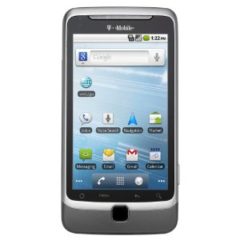
The excitement of having a G1 Android phone from T-mobile came crashing down when I pulled out my phone and saw that it wouldn’t turn on. I thought that the battery must have run out but it was odd because I thought the battery had plenty of charge left in it.
I plugged in the phone and to my horror found that the LED light wouldn’t turn on. Sick to my stomach I searched the net and found a few people suggested charging it a bit longer to see if the light comes on, others recommended removing the battery, and some recommended returning the phone.
I tried charging it for a bit, and it didn’t work. Holding down the power button, and holding the power button plus the camera button didn’t accomplish anything except for letting me know it still didn’t work.
I tried taking out the battery and was really concerned about breaking off the back piece since I really didn’t see how they took off the back at the store to insert the SIM card.
There’s a great little flash demo here:
http://tmobile.modeaondemand.com/htc/g1/
Just click on Guides > Battery Removal to view how to remove the back cover. Yes, it’s simple, but you want to protect your phone don’t you?
I couldn’t remember if taking off the back voided the warranty, but hey, if you need to get your SIM card out, the back has to come off. I took the back off and removed the battery, waited a few seconds and then replaced the battery. Viola! It worked.
Could have been a simple fluke with the phone, a bad application maybe, or perhaps the phone got tossed around a bit (unlikely).
The night previous to this problem with the phone, I installed a number of apps from the marketplace:
- Compass
- Mileage
- OI Notepad
- Package Tracking
- Power Manager
- Stopwatch
- System Monitor
- Video Recorder
I had also received the R33 update to the phone. A combination? A single culprit? My guess is that it might have something to do with the R33 official system update or it could have been one of the apps that digs a little deeper into the phone control such as Power Manager or System Monitor. If not a software issue, than it’s a battery or battery connection problem. Either way, I’ll be watching close and will probably uninstall some of the unnecessary apps.
Still love the Android G1, although, I’m going to be even more cautious with it now.

OVO Digital Photo Album / Frame – 3.5″ Display
Author Thomas | 30.08.2008 | Category Electronics
The OVO 3.5″ Digital Photo Album is one of kind. It’s sleek design and ease of operation makes it a great choice. Depending on the size of the pictures imported to the album, it can hold over 1,000. Slide show mode makes it easy to share pictures.
The OVO digital photo frame comes with a stand so it can stand upright on a desk. It’s battery is rechargeable and is charged when connected to your computer.
The photo album comes with a slip case, USB cable, software, and instructions.
Popular Selection
Visitor Recommended
Categories
Recent Posts
- Fix for Nikon D60 Flash not Working (Video)
- Who Knew? Discount on your monthly T-mobile bill with AAA!
- New Version of Google Chrome – Supports Bookmark Sync and Extensions
- Taveling this Holiday Season? Keep track of your Passport and Tickets.
- Deals Listing for Black Friday and Other Holiday Deals
- Google Navigation Available on the G1
- New LLG iPod Touch Protective Case
- Google Maps Navigation will Change the Way We Drive Forever
- Windows 7 is Out
- Just Received Access to Google Wave – First Impressions